Summer Jam # 1 info! (2022)

General info

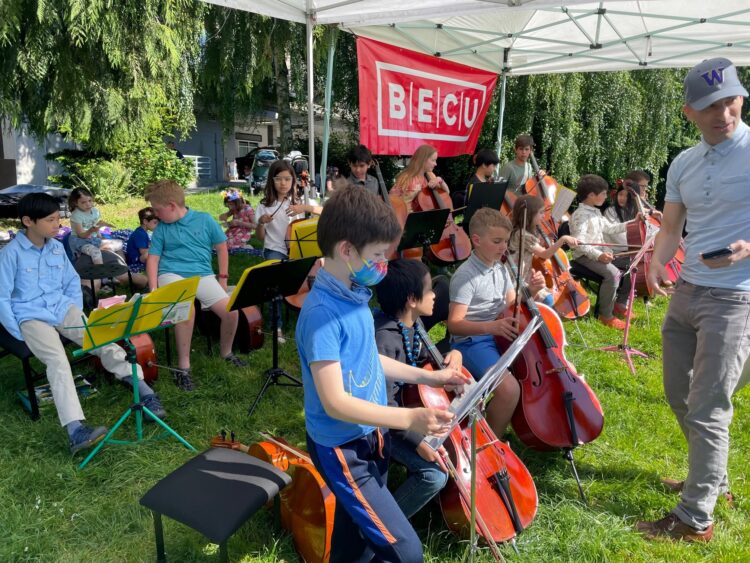
Join us Thursday, 7/7 at 5:00-7:00 at the Queen Anne Farmer’s Market for an awesome cello concert!  We’ll be performing classical favorites from Beethoven and Pachelbel along with selections from Hamilton, Moana, Harry Potter and more!  Look for us at the performer’s area on the lawn, and don’t forget to sample the many wonderful eats from the Market!  See you there!!

Student info

  • Time: 5:00-7:00 (4:30 arrival)
  • Schedule:
    • 5:00-5:45, All students
    • 5:45, Pizza!
    • 6:00-7:00, Cello Phil & Cello X only
  • WhereQueen Anne Farmer’s Market (Performer’s tent on the grass)
  • What to bring:
    • Cello
    • Stand (readers)
    • Busking folder (readers)
    • Cello X binder (Cello X members only)
    • Clothespins
    • Rockstop
    • Chair or stool
    • Sitting blanket (optional)
  • Pizza: Free pizza at 5:45! 🙂

Program

  • Advanced Twinkle (Twinkle Theme)
  • Ashokan Farewell*
  • At World’s End**
  • Aura Lee*
  • Autumn*
  • Blow the Man Down*
  • Canon*
  • Chorus from Judas Maccabaeus
  • Dear Theodosia*
  • French Folk Song
  • Go Tell Aunt Rhody
  • Hedwig’s Theme*
  • How Far I’ll Go*
  • How to Train Your Dragon**
  • James Bond*
  • Lightly Row
  • My Favorite Things*
  • Ode to Joy*
  • Old Town Road**
  • Pirates of the Caribbean*
  • Russian Dance Tune*
  • Seven Nation Army*
  • Song of the Wind
  • Somewhere Over / I Love to Tango (Rainbow Twinkle)
  • Viva la Vida**
  • What Shall We Do With The Drunken Sailor*

*Cello Phil & Cello X only

** Cello X only

Hybrid Groups!

Group Lessons will be in a hybrid model for the rest of the Academic Year. Please let me know whether you want to be in the Virtual Cohort or the In-person Cohort. Masks are required for in-person students, and there will be a distance of three-to-six-feet between them. Group Lessons will be at 4:00-4:50 for Cello Jellos and 4:50-4:50 for Cello Philharmonic.

Virtual Cohort

  • 4/5: Group Lesson on Upbeat
  • 4/26: Group Lesson on Upbeat
  • 5/10: Group Lesson on Upbeat
  • 5/24: Group Lesson on Upbeat: Recording Day!
  • 6/6: Cellopalooza Concert in Cyberspace!

In-person Cohort

Holiday Fun 2020!

With this pesky Covid, we won’t be able to do a Holiday performance, unfortunately. However, we can still jam to some Holiday tunes at our group lessons!

11/30, 12/7 & 12/14 groups will be on Upbeat. Look for the links on Mondays. Please print the attached music here. Only print the page numbers mentioned below.

  • Cello Jellos (Readers only. Non-readers have special assignments!):
  • Cello Philharmonic
    • Angels We Have Heard On High (page 3)
    • The First Noel (page 13)
    • God Rest Ye Merry Gentlemen (page 16)
    • Hark! The Herald Angels Sing (page 20)
    • Joy to the World (page 26)
    • Rudolph the Red-Nosed Reindeer (page 35)

Fall Recital 2020 Info

The Fall Recital 2020 is Sunday, 11/22 at 2:00 and 4:00 and will consist of a LIVE Recital and a VIDEO Recital. Refer to the program for which one your child is performing in. You are more than welcome to attend and watch the other one as well!
Read carefully and complete the steps.

LIVE Recital

General set-up:

  1. Sunday, 11/22, at 2:00-3:30 on Zoom. Please arrive at 1:45.
  2. Zoom link is here.
  3. Program is here.
  4. Please tune ahead of time.  Use a tuner if needed.
  5. Dress nicely.
  6. Rosin bow and clean cello.
  7. Adjust stool and rockstop (if using) to the correct height and length.
  8. Put music on the stand (if using), and place the music stand to the side so you’re not blocked from view.

Video set-up:

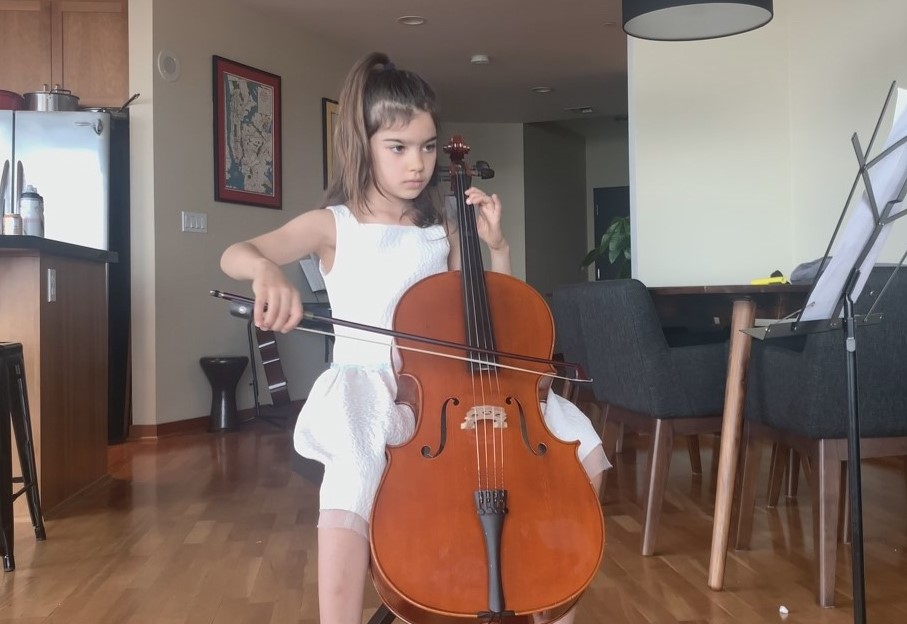
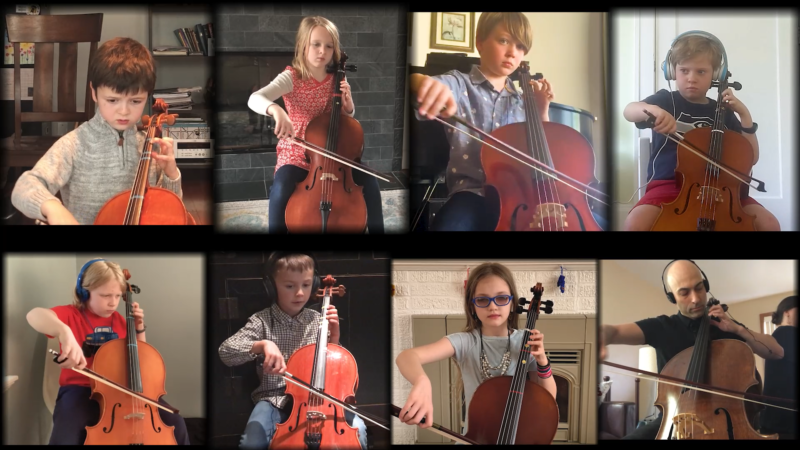
  1. Choose a well-lit room with good acoustics and a good WiFi connection.
  2. Make the background as plain and clutter-free as possible.
  3. Position the computer so you and your cello are fully in the frame (from the knees up is okay).
  4. Use landscape mode.
  5. Face forward – do not face to the side.
  6. See example picture for best set-up.
  7. When finished performing, you may move elsewhere in the house to watch the rest of the recital.
  8. When watching others, select “Speaker View” (not “Grid View”) to best see them.

Sound set-up:

IMPORTANT! Please make these adjustments to improve the sound quality. These can only be adjusted with a computer (not an iPad).

  1. Click the up arrow next to the microphone.
  2. Select Audio Settings.
  3. Turn off “automatically adjust volume” under Microphone.
  4. Click Advanced.
  5. Turn on “Show in-meeting option to “Enable Original Sound” from microphone.
  6. Disable “Suppress Persistent Background Noise.”
  7. Disable “Suppress Intermittent Background Noise.”
  8. Return to main screen.
  9. “Turn on original sound” which is located in the upper left corner.

Recital etiquette:

  1. Please set up before it’s your turn to play.
  2. Remain for the full recital and listen respectfully and attentively to the other performers.
  3. Do not roam around the house, do chores or play on your phone during the recital.
  4. If you need to use the bathroom, wait until the current performer is finished playing and turn your video off.  Turn your video back on when you return.
  5. Encourage friends and relatives to attend!

VIDEO Recital

General info:

  1. Sunday, 11/22 at 4:00-5:30 on Zoom. Please arrive at 3:45.
  2. Zoom link here.
  3. Program is here.

Recital etiquette:

  1. Please stay for the entire recital, and give each performer your full attention! The recital is 4:00-5:30 including announcements.

Pre-recital tasks:

  1. Add the Vimeo app to your Smart TV. If you do not have a Smart TV, add the Vimeo app to your computer.
  2. Add the ‘Seattle Suzuki Cello‘ channel to your favorite channels on Vimeo. The recital will be debuted there. Search for keywords such as: “Seattle Suzuki Cello” and/or “Fall Recital Spectacular 2020” if you can’t find it. Note: the video won’t be published until shortly before the recital.
  3. Tell you friends to tune in!

Day-of recital tasks:

  1. Log in to the Zoom Meeting at 3:45. The Zoom Meeting is for pre-and post-recital talk. It is NOT for watching the recital – you will do that on your television or computer through Vimeo.
  2. After the recital, please return to the Zoom Meeting for acclamations and congratulations!

Fall Concert 2020 Info

  • When: Sunday, October 25, 2020 at 2:00-3:00 (1:45 arrival).
  • Where: Your home.
  • Pre-concert tasks:
    1. Add the Vimeo app to your Smart TV. If you do not have a Smart TV, add the Vimeo app to your computer.
    2. Add the ‘Seattle Suzuki Cello‘ channel to your favorite channels on Vimeo. The concert will be debuted there. Note: the video won’t unlock until shortly before the concert.
    3. Tell you friends to tune in!
  • Day-of concert tasks:
    1. Log in to the Zoom Meeting at 1:45. The Zoom Meeting is for pre-and post-concert talk. It is NOT for watching the concert – you will do that on your television or computer through Vimeo.
    1. Please stay for the entire concert, and give each piece your full attention! The concert will last less than an hour.
    2. After the concert, please return to the Zoom Meeting for acclamations and congratulations!

Upbeat app settings

Thanks for your patience and perseverance at the group lesson! I’ve become more acquainted with the Upbeat app. Please follow the steps to make it work better and reduce glitchiness!

Pre-class to dos:

  • Find a location with a strong WiFi signal.
  • Get the latest Chrome version at chrome://help.
  • Close all windows and internet tabs.
  • Plug in your computer during class.
  • Chromebook users, turn on Hyper-Threading:
    • Go to chrome://flags.
    • Search “Schedule Configuration.”
    • Choose “Enables Hyper-Threading on relevant CPU’s or Performance.”
    • Restart.
  • Enable Hardware Acceleration:
    • Go to chrome://settings.
    • Search “Hardware Acceleration.”
    • Toggle on “Use hardware acceleration.”
    • Restart.

Setup and Calibration (during class)

  • Enter room.
  • Plug headphones into the computer and put them on.
  • Click Setup
  • Click Get Started
  • Click Start Recording.
  • Wait for the 8 beat count-off.
  • Play or pluck on the beat.
  • Click Continue or Redo if needed.
  • Listen to playback.
  • Calibrate: slide the yellow sound file to abut the first bold green line.
  • Click Done.
  • Video instructions if you prefer:
https://www.youtube.com/watch?v=Olbn_ZJDuZo

Recording yourself (during class)

  • This info is for Cello Jellos only. Cello Phil will use a different recording method.
  • Put on and plug in headphones.
  • Click Record.
  • Click Continue.
  • My video will appear.
  • Click Start Recording.
  • Wait for count-off and start playing when I do.
  • While you play, I will be on your screen and you will hear me through the headphones. Play along with me as best as you can.
  • Click Stop Recording.
  • Click Continue or Redo if needed.
  • Calibrate: slide your yellow sound file to match with mine. Listen and slide until it matches perfectly.
  • Click Done.
  • An uploading announcement should appear.
  • Video instructions if you prefer.
https://www.youtube.com/watch?v=naCkgq0407Q